
Magic Logo
Assistant Help Desk
  • Help Desk
  • Magic Workspace
  • Reporting an Issue (Web)
On this page
Magic Workspace

Reporting an Issue (Web)

How to report a web Workspace issue to an engineer using the Marker.io widget.
  • Updated October 7, 2026

These steps are for the web Workspace. Having an issue with the Magic Workspace App? Click the gear icon at the top right of the app, scroll down, and click Send Diagnostics, or fill out this form. You can also check Guide Through Technical Issues.

How to report an issue to an engineer via Marker.io? You need to be logged in to your Magic Workspace dashboard.

  1. To log an issue or send feedback using Marker.io, click on the Marker.io widget on the right hand side of Workspace.
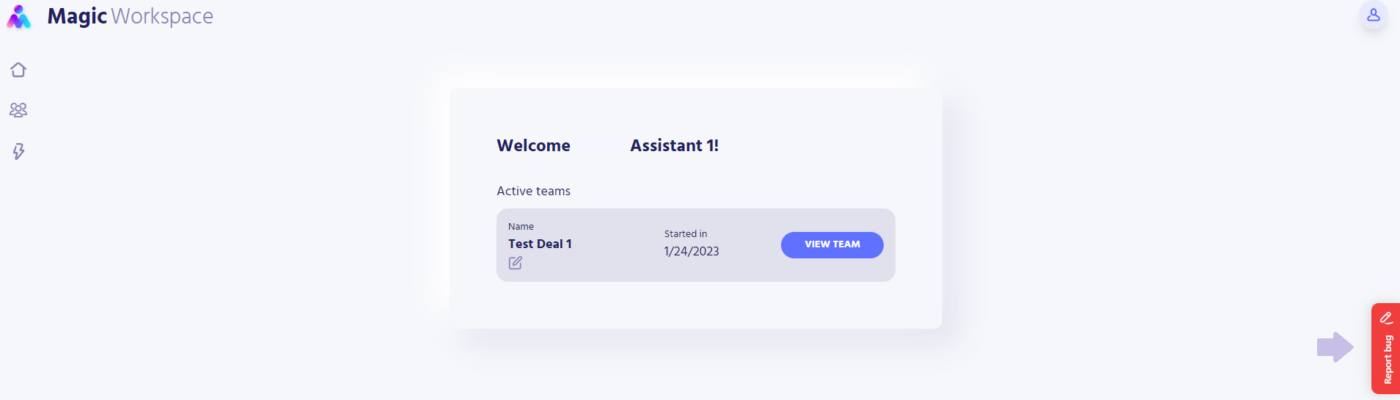
    Marker.io widget button on the right side of the web Workspace
  2. Clicking on the widget will show a screenshot of the page you’re currently viewing and the Marker.io form.
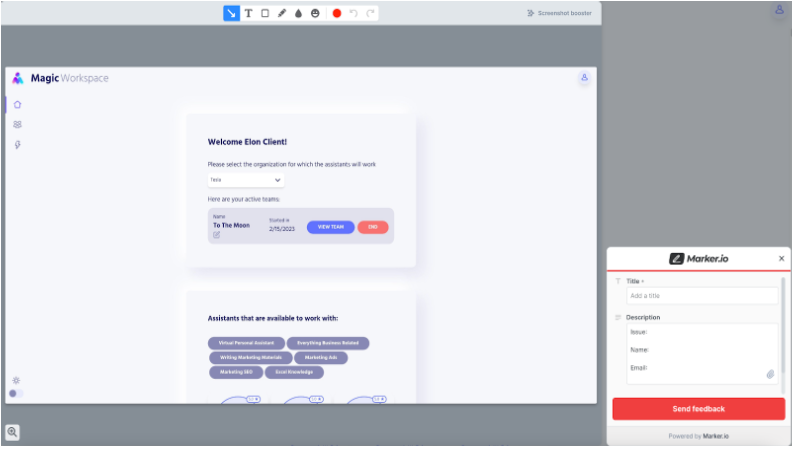
    Marker.io form next to a screenshot of the current Workspace page
  3. Use the provided tools to annotate any item on the form that you are experiencing. This will help in investigating the issue.
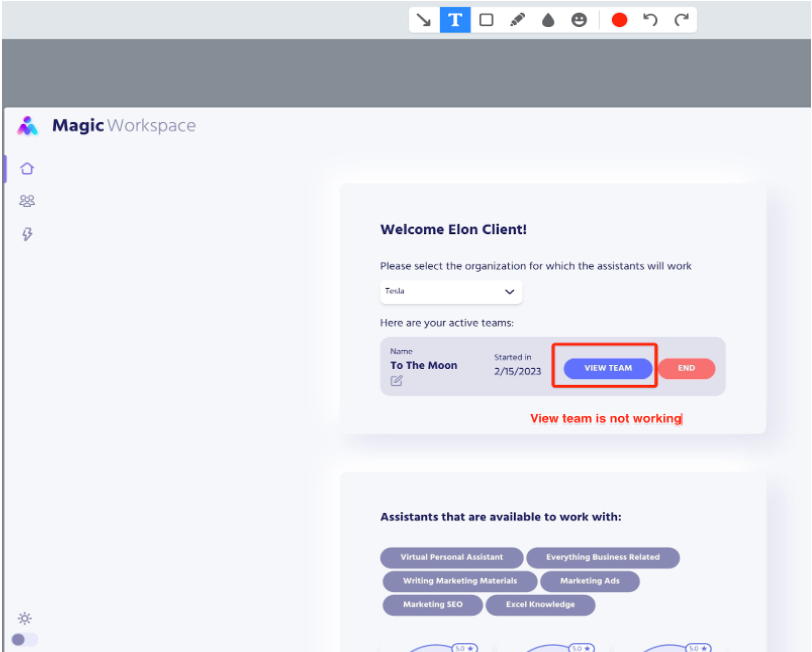
    Marker.io annotation tools marking an item on the screenshot
  4. In the Marker.io form, add a descriptive title to your issue and provide the details (issue, name, email) using the description box.
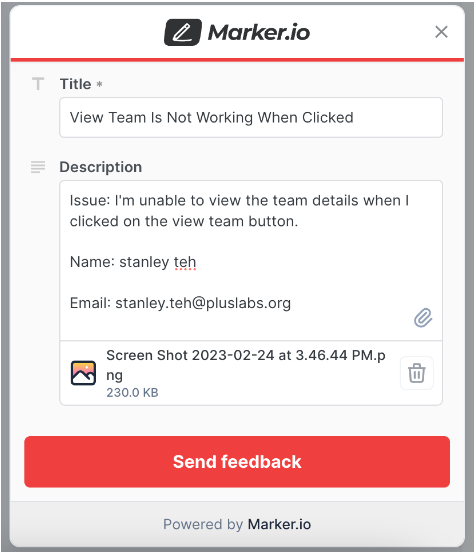
    Marker.io form with the issue title and description box
  5. Add additional screenshots of the issue using the paperclip icon.

  6. Marker.io automatically records up to the last 30 seconds of your activity before the Marker.io widget button is clicked. It also automatically adds the (1) console log, (2) browser information, and (3) computer specs.

  7. To submit, click on the Send Feedback button, and provide your email address and full name on the succeeding dialog.
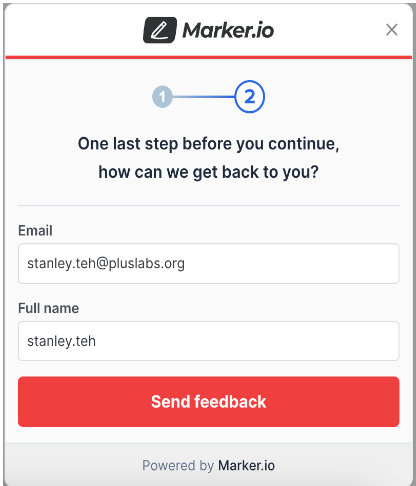
    Marker.io Send Feedback dialog asking for your email address and full name
  8. You should receive a temporary code in the email that you provided, if it is the first time that you will be submitting an issue.
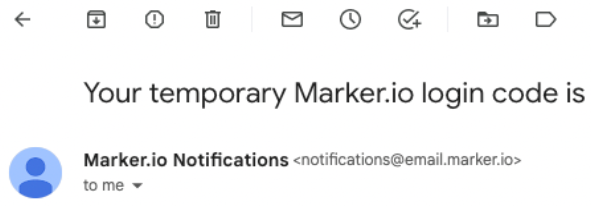
    Marker.io message asking for the temporary code sent to your email
  9. Provide the login code on the form so it will automatically use your name and email the next time you submit an issue. We highly suggest that you provide your info and NOT use the “Skip and report as a guest” button to allow easier communication and follow-ups.
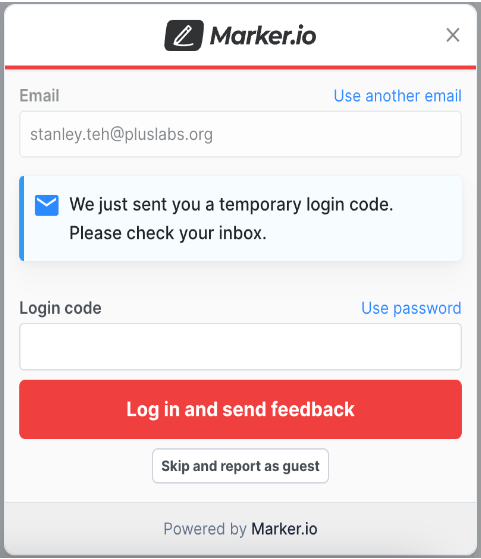
    Marker.io login code form with the Skip and report as a guest option
  10. A prompt with the message “Issue has been created” will be displayed once the form is submitted successfully.

Was this article helpful?
More in Magic Workspace

End of Day Reports

New
At the end of your shift, review your workday and publish your End of Day report

Read →

Magic Workspace App Dashboard

New
Set your work schedule and manage your tasks in the Magic Workspace App. For clocking in

Read →

Filing for Leave in Assistant Workspace

Updated
The Leaves Tracker lets you request time off from your Workspace dashboard. Each request is routed

Read →

Still having trouble?

Reach out to your Account Lead or Magic Assistant Support. For a persisting technical issue, report it to an engineer.

Email Assistant Support
Magic Logo Icon
VIRTUAL ASSISTANTS
PRODUCT
Executive Assistants
Magic 24/7
Support
Call: (888) 404-8243
USE CASES
Executive Tasks
General + Admin Tasks
Customer Service Tasks
Bookkeeping Tasks
RESOURCES
Blog
eBooks
Features
Case Studies
ROI Calculator
How It Works
COMPANY
About
Careers
Contact
  • Privacy
  • Terms
  • Cookie Policy
  • Opt-out preferences
  • Manage your preferences
© 2026 Magic, Inc. All Rights Reserved.
Manage Consent

To provide the best experiences, we use technologies like cookies to store and/or access device information. Consenting to these technologies will allow us to process data such as browsing behavior or unique IDs on this site. Not consenting or withdrawing consent, may adversely affect certain features and functions. Cookie Policy ⋅ Privacy Policy

Functional Always active
The technical storage or access is strictly necessary for the legitimate purpose of enabling the use of a specific service explicitly requested by the subscriber or user, or for the sole purpose of carrying out the transmission of a communication over an electronic communications network.
Preferences
The technical storage or access is necessary for the legitimate purpose of storing preferences that are not requested by the subscriber or user.
Statistics
The technical storage or access that is used exclusively for statistical purposes. The technical storage or access that is used exclusively for anonymous statistical purposes. Without a subpoena, voluntary compliance on the part of your Internet Service Provider, or additional records from a third party, information stored or retrieved for this purpose alone cannot usually be used to identify you.
Marketing
The technical storage or access is required to create user profiles to send advertising, or to track the user on a website or across several websites for similar marketing purposes.
  • Manage options
  • Manage services
  • Manage {vendor_count} vendors
  • Read more about these purposes
View preferences
  • {title}
  • {title}
  • {title}
Manage Consent

To provide the best experiences, we use technologies like cookies to store and/or access device information. Consenting to these technologies will allow us to process data such as browsing behavior or unique IDs on this site. Not consenting or withdrawing consent, may adversely affect certain features and functions. Cookie Policy ⋅ Privacy Policy

Functional Always active
The technical storage or access is strictly necessary for the legitimate purpose of enabling the use of a specific service explicitly requested by the subscriber or user, or for the sole purpose of carrying out the transmission of a communication over an electronic communications network.
Preferences
The technical storage or access is necessary for the legitimate purpose of storing preferences that are not requested by the subscriber or user.
Statistics
The technical storage or access that is used exclusively for statistical purposes. The technical storage or access that is used exclusively for anonymous statistical purposes. Without a subpoena, voluntary compliance on the part of your Internet Service Provider, or additional records from a third party, information stored or retrieved for this purpose alone cannot usually be used to identify you.
Marketing
The technical storage or access is required to create user profiles to send advertising, or to track the user on a website or across several websites for similar marketing purposes.
  • Manage options
  • Manage services
  • Manage {vendor_count} vendors
  • Read more about these purposes
View preferences
  • {title}
  • {title}
  • {title}
Login as a Client
Dedicated Login
Classic Login
Login as an Assistant
Assistant Login
Don’t have an account? Get started now!