
If you need to update your email address in Workspace, don’t worry — it’s simple! Just make sure to update your existing account instead of creating a new one.
⚠️ Avoid Creating a New Workspace Account
To prevent problems with your work, make sure you update your email within your current Assistant Workspace account instead of creating a new one. Creating a separate account can lead to:
- Losing access to your assigned tasks
- Inaccurate or failed clock-ins/outs
- Syncing problems with your client’s account
How to Update Your Email in Workspace
Follow these steps:
- Step 1: Click your profile icon in the lower-left corner.
- Step 2: Select Profile > Go to Contact Info.
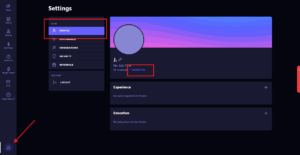
- Step 3: Click Change Email.
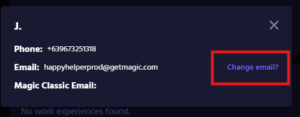
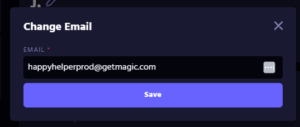
- Step 4: Enter your new email address and click Save.
📍Pro Tip: Make sure your Workspace email matches the email you actively use for Magic. This ensures you don’t miss any important updates, tasks and client communications.
Need Help?
If you run into any issues while updating your email, please reach out to your Account Lead for assistance.