

You log in to your system on a Monday morning, only to find your inbox overflowing with complex ticket escalations, disorganized threads, and frustrated clients waiting for answers. Meanwhile, your team is drowning in administrative triage instead of actually solving customer problems.
The issue isn’t whether you need help. It’s choosing the type of support that actually improves how your business operates.
Email remains the backbone of customer service, serving as a universally preferred communication channel. In fact, US-based surveys show that 64 percent of people use email for support, making it the most widely used customer service channel. By embracing email support outsourcing, you can turn your chaotic inbox into a streamlined customer service process.
What Is Email Customer Support?
Email customer support is the practice of responding to customers regarding their queries, concerns, and issues through email. It provides a direct line of communication between a business and its customers, fostering personalized and thoughtful interactions.
While chatbots and help desk software continue to grow, email remains the backbone of customer service. It allows communication across time zones and a sense of professionalism and order, building lasting customer relationships.
At an operational level, managing an inbox requires a strategic approach. Good email support needs to strike a balance between being quick and being thorough. Because it is an asynchronous channel, it gives your team the necessary time to investigate complex problems. You avoid the friction of putting customers on hold while still resolving their core issues effectively.
This channel acts as the central hub for detailed documentation, technical troubleshooting, and formal escalations.
When Is Email The Best Customer Service Process?
Conventional wisdom holds that speed is the most important aspect of the customer service process. Email, as an asynchronous channel, may then seem like an odd choice. While it is slower than chat or phone calls, it resolves customers’ most common frustration of being put on hold while still being fast enough to meet customer service expectations.
Here are a few times when a customer support email makes the most sense:
- External Documents: Email is especially useful for support cases that rely on documents to provide context. Attachments like receipts, invoices, and photos would be difficult or impossible to relay by chat or phone call.
- Authority Escalation: Customer service reps can loop in other people on email threads, which is necessary for concerns that require a subject matter expert or escalation to a supervisor. The built-in thread minimizes the need for customers to repeat themselves.
- Resource Sharing: Use email to link to other resources, whether those are downloadable PDFs or resource pages. You can condense a lot of information into a concise, readable format.
- Template Utilization: Email formatting options make it easier to create and use a wide range of templates. Templates allow you to provide comprehensive answers in less time.
Key Elements Of Effective Email Support
A disorganized inbox creates severe bottlenecks and frustrates your clients. Structuring your approach around a few core pillars turns a chaotic queue into a reliable retention tool.
Effective email customer support relies on mastering specific operational components. When you implement these elements, you establish a direct line of communication that resolves issues quickly and nurtures long-term loyalty. Keep these core components in mind to build a highly efficient support channel:
Prompt Responsiveness
Quick email responses assure customers that their concerns are a priority, managing their expectations and avoiding frustration. Industry data shows that roughly 40 percent of consumers expect a response to a customer service email within 24 hours, while best-in-class companies consistently reply within an hour.
Personalization and Empathy
Addressing customers by name and showing genuine concern bridges the digital divide, making them feel heard and valued. Research indicates that personalized emails deliver significantly higher engagement and transaction rates, proving that clients respond positively when treated as individuals rather than ticket numbers.
Comprehensive Solutions
Aim to resolve customer issues in a single interaction. Anticipate follow-up questions and provide all necessary information upfront to increase customer satisfaction. Resolving a problem on the first attempt (First Contact Resolution) is directly tied to a lower churn rate, as customers greatly prefer complete answers over fragmented threads.
Brand Voice and Consistency
Align customer support emails with your brand’s tone and values to foster familiarity and build trust. Consistent brand presentation across all forms of communication has been shown to increase overall revenue by up to 23 percent, reinforcing the importance of standardized brand language.
Mobile Optimization
Ensure your email templates are responsive and optimized for different screen sizes. With over 81 percent of people opening emails on their mobile devices, this reflects a commitment to accessibility. Customers expect to read and reply to support messages easily from their phones.
5 Customer Support Email Tools You Need
Arming your team with the right tools can make the difference between mediocre and excellent email technical support. Here are five platforms that will empower your agents:
- Zendesk: This customer service platform streamlines email management to ensure no query falls through the cracks. Its intuitive interface allows agents to manage email queues, automate responses, and track interactions.
- Gorgias: Automate answers to common customer queries for shorter response times. Gorgias uses AI to suggest relevant answers based on historical data, allowing agents to handle more emails efficiently.
- HubSpot Service Hub: Manage email customer service within an integrated CRM system. Its support ticketing system allows for efficient issue tracking and resolution.
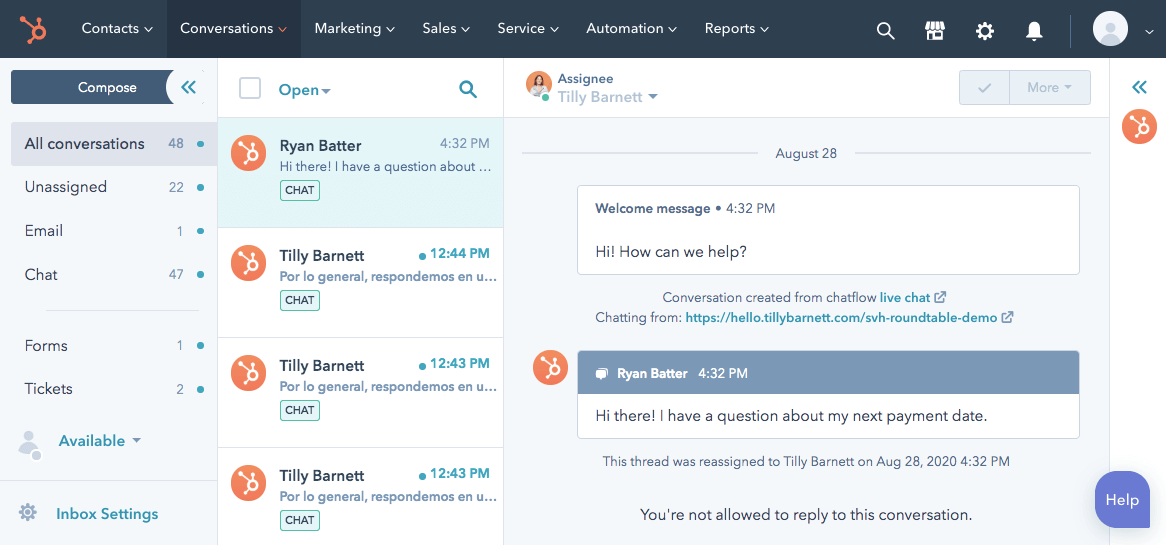
- Groove: Your customer service team can collaborate on a shared inbox to stay aligned with email responses. It integrates with e-commerce platforms, which is great for online businesses.
- Hiver: Smaller teams can turn Gmail into a powerful help desk platform. Hiver allows you to collaborate on email responses, assign tickets, and track the status of customer support emails.
Tips On Implementing Email For Support
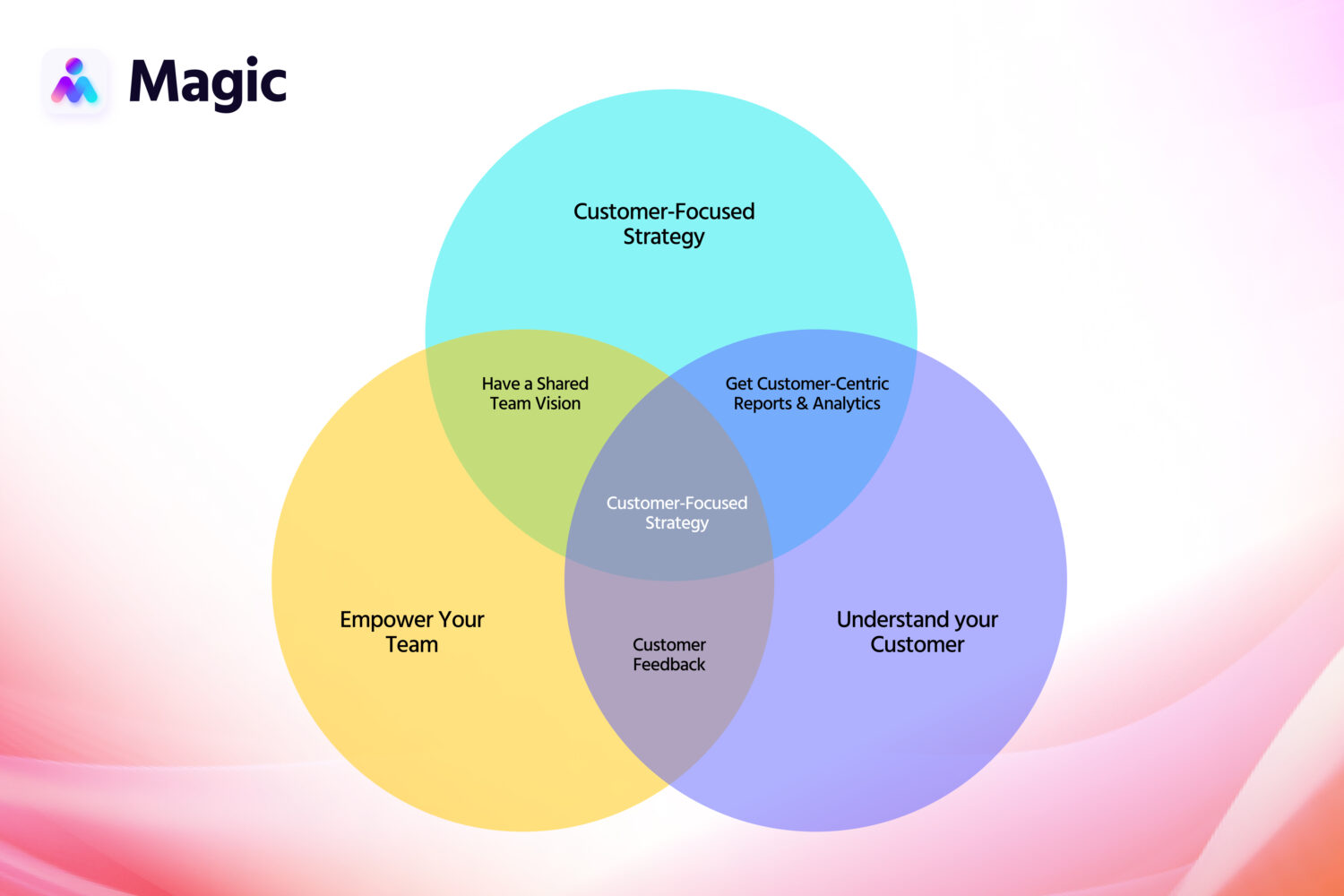
Excellent email management for customer service balances efficiency and empathy. Ensure your email support thrives with these strategic steps:
- Build a customer-focused team. Building an effective email customer support team begins with instilling customer care among your agents. Hire people who can understand and connect with customers on a deeper level and equip them with ongoing training sessions.
- Manage email queues and priorities. Set up clear Service Level Agreements (SLAs) for response and resolution times to hold your team accountable and manage customer expectations effectively. You should also give them access to CRM tools to streamline their workflow.
- Handle challenging interactions gracefully. Remaining calm and professional, even in the face of hostility, helps you control the conversation and sustain a positive brand image. Navigate tricky situations with de-escalation techniques to turn negative interactions into opportunities for favorable resolution.
Customer Service Email Templates For Better Communication
Efficient and effective communication is at the heart of exceptional customer service. Using carefully crafted templates allows your team to maintain consistency without sacrificing speed.
Here are five essential email sample templates to help make your interactions clear, empathetic, and solution-oriented:
Onboarding a Customer
Hi [Customer’s Name],
Hope you’re doing well! We’re thrilled to have you as part of the [Company] family and truly appreciate your trust in us. I wanted to personally reach out and guide you through the exciting journey ahead. We’re here to make your experience seamless and enjoyable, so here’s a brief overview of what to expect:
[Provide an outline of the onboarding process, including key steps and relevant resources.]
We’re here to support you every step of the way. Feel free to ask us anything, from the basics to the nitty-gritty. Remember, there’s no such thing as a silly question. Once again, welcome to [Company]. We’re thrilled to have you with us!
Warm regards,
[Your Name]
[Your Title]
[Your Contact Information]
Replying to Customer Complaints
Dear [Customer’s Name],
Thank you for reaching out and sharing your feedback. Your perspective matters a great deal to us. Please be assured that the matter is being handled properly. We’ll dive into the details, investigate what went wrong, and work on a solution. In the meantime, please feel free to share any helpful information or insights to help us in our investigation. We’re committed to getting to the bottom of this and making it right. Thank you for your patience and understanding. Your feedback is valuable to us as we continue to improve our services.
Best regards,
[Your Name]
[Your Title]
[Your Contact Information]
Following up on a Customer
Hello [Customer’s Name]!
I hope this email finds you well. We wanted to take a moment to touch base and see how everything has been going since we last connected. [Reference the specific interaction or inquiry.]
Your satisfaction is our top priority, and we’re genuinely interested in your experience with [Company]. Be it feedback, suggestions, or simply sharing your thoughts, your insights matter to us. If you want to know more or have any questions, feel free to contact us after exploring our options. We’re here to assist and ensure your experience is nothing short of exceptional.
Looking forward to hearing from you and continuing to serve you in the best possible way.
All the best,
[Your Name]
[Your Title]
[Your Contact Information]
Responding to an Angry Customer
Dear [Customer’s Name],
Thank you for bringing this matter to our attention. I want to extend our sincerest apologies for any frustration or inconvenience you’ve experienced. We take your feedback seriously, and I’m genuinely sorry that we’ve fallen short of meeting your expectations.
Rest assured, I’ve escalated your concerns to our team for immediate review. We’re committed to investigating the issue thoroughly and finding a solution. Once we have a resolution in place, I’ll personally follow up with you to ensure you’re satisfied with the outcome. We’re determined to make things right and regain your trust.
If you have any additional information you’d like to share, please feel free to do so. Your input will help us address the issue thoroughly. Once again, I apologize and appreciate your patience as we work towards resolving this issue. Your satisfaction is our priority, and we’re here to support you every step of the way.
Sincerely,
[Your Name]
[Your Title]
[Your Contact Information]
Requesting a Customer Review
Hi [Customer’s Name],
I hope you’re doing well. We greatly value your partnership with [Company] and want to ask for a small favor. If you could take a moment to share your thoughts and feedback, it would mean the world to us. Your insights not only help us understand what we’re doing right but also guide us in areas where we can improve.
To leave your review, simply click the link below:
[Insert Review Link]
We truly appreciate your time and thank you for being a valued part of our [Company] community. Your experience is at the heart of everything we do, and we’re eager to hear about your journey with us. If you have any questions or need assistance, please don’t hesitate to reach out. We’re here to help.
Thank you in advance.
[Your Name]
[Your Title]
[Your Contact Information]
5 Ways Email Support Outsourcing Improves Customer Experiences
Outsourced email support is an effective way to improve customer satisfaction without adding a financial or administrative burden. By outsourcing customer service to a dedicated virtual assistant, you free your internal team to focus on their highest-leverage work while ensuring every customer gets top-tier attention.
Delegating this channel to a dedicated team unlocks five key operational advantages:
- Shorter Response Times: Customers universally prefer swift responses, and having an outsourced customer service agent can dramatically improve your initial response time. Dedicated staff quickly scour your knowledge base or consult technical experts to prepare comprehensive replies.
- Effective Resolution: You need to give the right answers promptly. When you outsource email support services, support staff can focus on efficient issue resolution, improving your resolution rate and increasing first-contact resolution.
- 24/7 Coverage: Having around-the-clock customer service is an immense advantage in an always-on market. By outsourcing your customer support, you can have people from all over the world cover different shifts to provide 24/7 support.
- Consistent Messaging: Support messages are a means of getting into your customers’ inboxes and speaking to them with their full attention. Maintaining your brand voice through every interaction leaves a positive impression and boosts customer retention.
- Costs, Scaling, and Flexibility: Outsourcing customer service generally costs less than recruiting in-house. Businesses frequently report 30 to 60 percent operational cost reductions when delegating customer service functions. Outsourcing also gives you the freedom to scale up more quickly as the need arises.
Deciding whether to build an internal department or partner with an outsourced team comes down to operational agility. Here is a quick breakdown comparing in-house versus virtual support models so you can choose the path that best fits your business:
| Support Type | Scalability | Cost Impact | Coverage |
|---|---|---|---|
| In-House Staffing | Slow and resource-heavy | High overhead (salaries, benefits, office space) | Usually limited to local business hours |
| Outsourced Email Support | Rapid, flexible adjustment | Highly cost-effective | Global talent allows true 24/7 coverage |

Customer support outsourcing is a valuable method for boosting client retention and improving your company’s customer service. Learn more in our eBook here!
Learn MoreWhat Does an Email Support Virtual Assistant Do?
When evaluating remote staffing options, leaders often wonder what delegating this work looks like on a daily basis. The work extends far beyond clicking reply.
A dedicated email support virtual assistant steps into your workflow to manage your help desk end-to-end. They categorize incoming messages, prioritize urgent escalations based on your SLAs, and draft personalized responses using your established brand voice.
Beyond the inbox, they handle the administrative overhead by updating knowledge base articles, tagging repetitive product issues for your development team, and ensuring your customer support assistant services operate flawlessly without your constant supervision.
Delegate Your Email Customer Service to Magic
Email continues to be a highly reliable and preferred channel for support. Improve customer connections using targeted email customer support bolstered by the right tools, tactics, and templates. Explore how outsource email customer service strategies can enhance your capabilities and free up your team to focus on core business activities.
Through Magic, you can assemble a remote email support team to match your business requirements. We can find you remote staff to answer emails, set up or maintain a knowledge base, coordinate your help desk, and more.
With Magic, you’ll have a team of expert customer service agents ready to go in just one week. Talk to us to find out how you can transform your email customer service.